
optimizacion-conversion6 min read
Affiliate Marketing: What It Is and How It Works
What affiliate marketing is, how it works, commission models (CPA, CPS, CPL), top platforms, pros, cons and how to measure conversion.
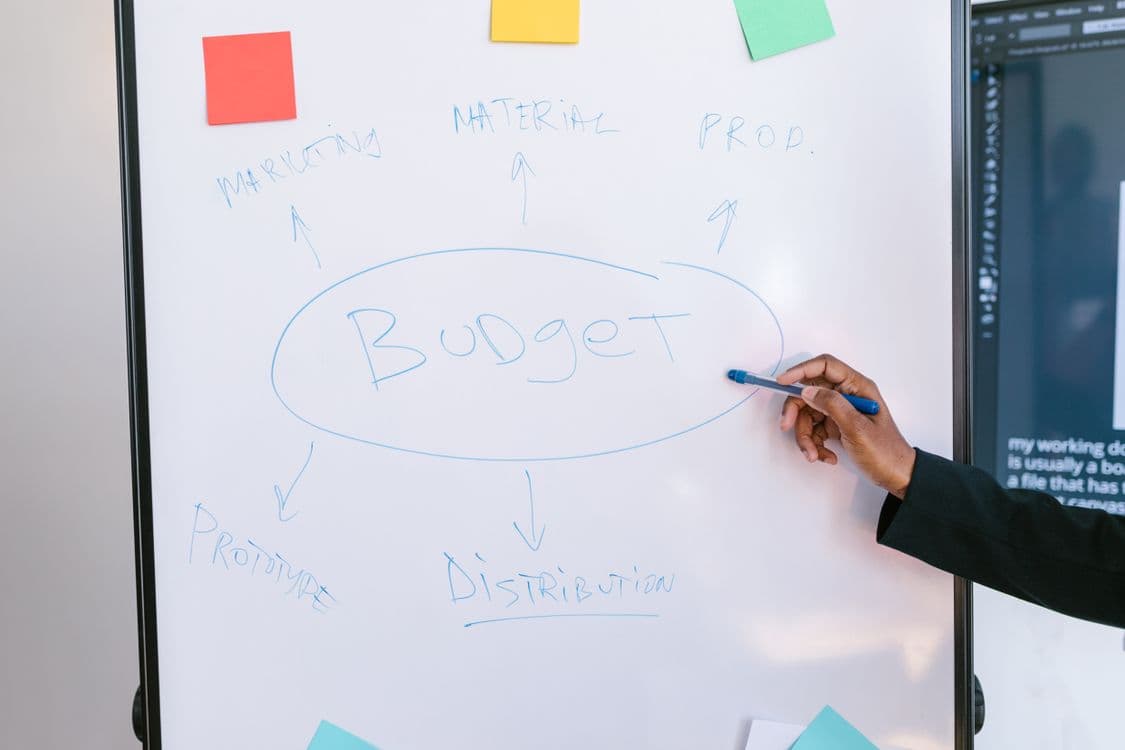
Launching a product or business without validating your assumptions is like building a house without blueprints. The Lean Canvas is the tool that lets you lay out your business model on a single page, identify the most critical risks, and start validating before investing months of development.
Created by Ash Maurya as an adaptation of Alexander Osterwalder's Business Model Canvas, the Lean Canvas is specifically designed for startups and early-stage projects, where uncertainty is high and learning speed is crucial.
The Lean Canvas is a one-page business model canvas composed of 9 blocks that force you to synthesize the fundamental hypotheses of your project. It's not a static business plan: it's a living document that's constantly updated as you learn from the market.
Its main advantage over a traditional business plan is speed. While a business plan can take weeks or months, a Lean Canvas can be completed in 20-30 minutes. And that speed isn't a bug: it's a feature. It forces you to be concise and prioritize what's essential.
The Lean Canvas is organized into 9 blocks covering the critical areas of any business. Let's look at each one in detail and in the recommended order for completion:
Key question: Who are you creating value for?
Define your target audience as specifically as possible. "SMBs" or "millennials" isn't enough. You need to identify:
A common mistake is trying to serve too many segments at once. Start with just one.
Key question: What are your customers' TOP 3 problems?
List the 3 main problems your customer segment faces. Be specific:
Key question: Why are you different and worth paying attention to?
A clear, concise statement explaining why your solution is different and why the customer should choose you. The UVP should:
Bad example: "SaaS platform with AI and machine learning for optimization." Good example: "Cut your reporting time by 40% with reports that generate themselves."
Key question: What is the simplest solution for each problem?
For each of the 3 identified problems, describe the minimum solution. The key word here is minimum: you're not describing your 5-year vision, but the MVP you're going to build first.
Key question: How will you reach your customers?
Define your acquisition channels, both free and paid:
In the early stages, prioritize channels that let you speak directly with customers and get qualitative feedback.
Key question: How will you make money?
Define your monetization model:
Also include a price estimate and the reasoning behind it. You don't need to be precise, but you do need a testable hypothesis.
Key question: What are your main fixed and variable costs?
List the most relevant costs to operate your business:
The goal isn't a detailed budget, but understanding the high-level cost structure to calculate your break-even point.
Key question: What indicators will tell you if you're on the right track?
Select 3-5 metrics that truly matter. Avoid vanity metrics (visits, followers) and focus on actionable metrics:
The pirate metrics framework (AARRR) is a good starting point: Acquisition, Activation, Retention, Revenue, Referral.
Key question: What do you have that can't be easily copied or bought?
This is the hardest block to fill in, and it's okay to leave it blank at first. Examples of real unfair advantages:
"We work harder" or "better team" are not unfair advantages.
Although they share the one-page structure, they have different approaches:
| Aspect | Lean Canvas | Business Model Canvas |
|---|---|---|
| Focus | Startups and new products | Established companies |
| Orientation | Problem-solution | Resources and partnerships |
| Differentiating block 1 | Problem | Key Partners |
| Differentiating block 2 | Solution | Key Activities |
| Differentiating block 3 | Key Metrics | Key Resources |
| Differentiating block 4 | Unfair Advantage | Customer Relationships |
| Speed | 20-30 minutes | 1-2 hours |
| Iteration | Very frequent | Less frequent |
The recommendation is clear: if you're validating a new idea, use Lean Canvas. If you're documenting or redesigning an existing business, Business Model Canvas may be more appropriate.
Let's see how a Lean Canvas would be completed for a fictional automated reporting tool:
| Block | Content |
|---|---|
| Segment | Marketing managers at e-commerce companies with 5-50 employees |
| Problem | 1) 5h/week on manual reporting. 2) Data scattered across 6+ tools. 3) Don't know which metrics matter |
| UVP | Marketing reports that generate themselves, with the metrics that matter |
| Solution | Unified dashboard with automatic connection to GA4, Meta Ads, and Shopify |
| Channels | Content marketing (SEO), LinkedIn Ads, agency partnerships |
| Revenue | Monthly subscription: $49/month (Starter), $149/month (Growth) |
| Costs | Cloud infrastructure ($800/month), team (2 devs, 1 marketer), estimated CAC: $120 |
| Metrics | Activation (1st report generated), M3 retention, MRR, CAC payback |
| Unfair Advantage | Benchmark model with aggregated data from 500+ e-commerce sites (network effect) |
"Users need a mobile app" is not a problem. The problem is what they're trying to solve. The app is a potential solution.
"All companies" is not a segment. The more specific you are, the easier it will be to validate and find product-market fit.
The Lean Canvas is designed so you start with the problem. If your solution changes (and it will), the problem will likely remain the same.
A Lean Canvas that hasn't been updated in months isn't serving its purpose. Every relevant learning should be reflected in the canvas.
The Lean Canvas is a team tool. Completing it alone gives you a biased perspective. Involve co-founders, team members, and above all, potential customers.
Completing the canvas is just the first step. The real value comes from validation:
This iterative process is at the heart of the Lean Startup methodology, where the Lean Canvas serves as a roadmap.
Use it when:
Don't use it when:
Between 20 and 30 minutes for the first version. If you're taking longer, you're probably over-analyzing. Remember it's a living document: the first version doesn't have to be perfect, it just has to exist so it can be iterated on.
Yes. If your product serves very different segments (e.g., freelancers and enterprises), create a separate canvas for each one. The problems, channels, and metrics will be different.
It doesn't replace it; it complements it. The Lean Canvas is ideal for the exploration and validation phase. When your business model is validated and you start scaling, the Business Model Canvas will help you document partnerships, resources, and key activities.
Absolutely. Every new product, feature, or business line within a company can benefit from a Lean Canvas. It's especially useful for internal innovation teams that need to validate hypotheses before committing significant resources.
The Lean Canvas is the most efficient tool for going from a vague idea to a concrete, testable business model. It doesn't ask you to predict the future; it asks you to identify your riskiest hypotheses and validate them as soon as possible.
If you're working on a new digital project and want to make sure your product and conversion decisions are backed by data, at Boost we combine Lean methodology with evidence-based conversion optimization. And if you want a quick diagnosis of your website, try Scan&Boost for free.
— Adrià Vidal, Boost
What affiliate marketing is, how it works, commission models (CPA, CPS, CPL), top platforms, pros, cons and how to measure conversion.
What Apple Search Ads is, campaign types (Basic and Advanced), key metrics, relationship with ASO, real costs and when it makes sense vs. Google Ads.
What a CSS partner is in Google Shopping, how the CSS program works, CPC savings advantages, how to choose a provider and its impact on conversion.